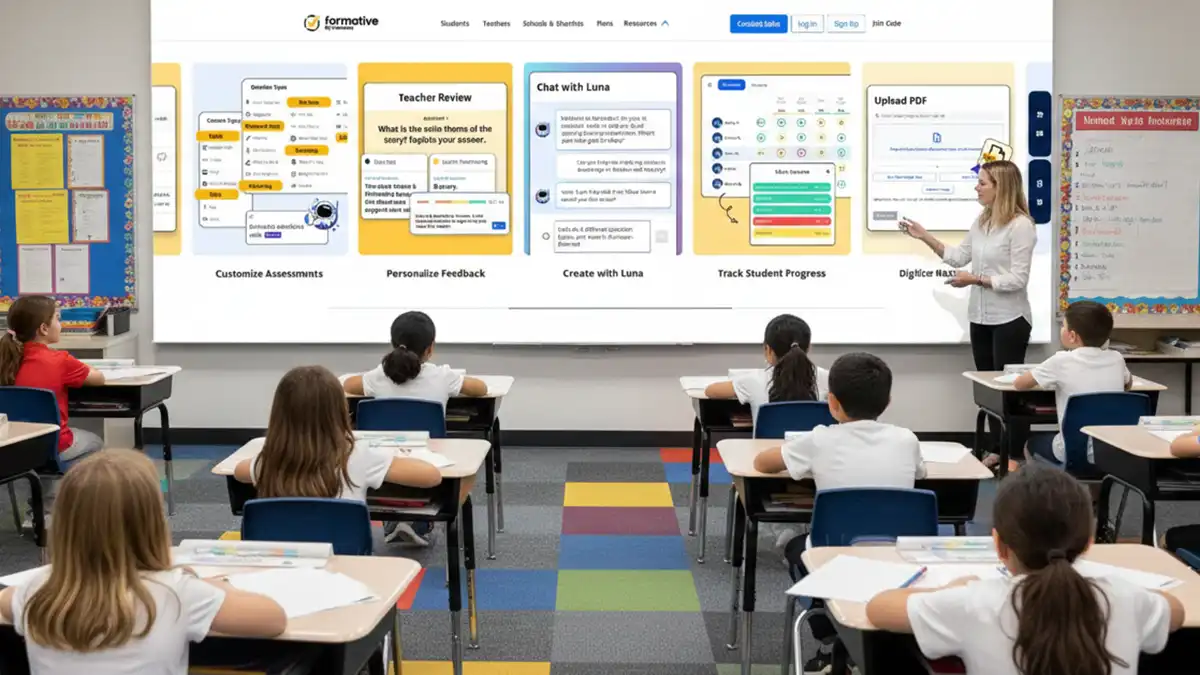
Hello readers! Imagine walking into class and being able to tell almost instantly which students understood the lesson and which need extra help. No guesswork or waiting to see how students scored on a test. Just the clarity of knowing what each student knows after just minutes of instruction. That is the power teachers have when they use GoFormative in their classrooms.
Digital learning continues to change the way we think about teaching and learning in today’s classrooms. Students want access to interactive lessons, timely feedback, and fun ways to learn. For this reason, teachers need tools that help them streamline grading, monitor student progress, and increase engagement. GoFormative helps teachers accomplish this by allowing them to turn everyday teaching into engaging and interactive lessons.
Getting Started
Before getting into the more advanced uses of GoFormative, it is essential to understand how the platform operates. After you have created an account and received your password to access, you are ready to create your assignments, post activities, and track where each student is in real-time while completing each assignment.
Students may join activities via GoFormative/join or by entering a class code. This simple way of accessing your account alleviates any technical barriers and allows you to spend more time teaching. You must know about the GoFormative login to get access.
Creating Your First Assignment with GoFormative
After logging into this platform, you may create your first assignment. You can upload PDFs, create quizzes, have open-ended questions, and embed videos. You have content that has been created according to your subject without having to change your lesson to fit the tool.
The ease of use is appreciated by educators because everything is easily accessible from one location on the dashboard, where all class lists, performance reports, and response summaries are displayed.
1. Create a Real Time of Assessment with GoFormative
A formative assessment can be defined as a means of gauging if students are comprehending the lesson before they receive a final exam. With the use of this platform, while you teach a lesson, you can use GoFormative to generate a question and receive the responses of the students in real time.
During a math lesson, when you are teaching a math concept, if you use GoFormative to assign one problem to all the students and track how each student worked through that one problem, then you can see how many students had a difficult time and re-teach that concept immediately after. Making real-time adjustments to the instruction based on student outcomes is proven to increase student success.
2. Change Homework to Interactive Assignments
The majority of homework that we currently assign to students is often repetitive in nature. It allows teachers to turn homework into a more interactive experience for the students. The submissions can include diagrams, videos, and can use drag and drop elements to answer questions.
Students are more engaged in their learning by interacting with the material instead of just writing their answers down in a repetitive manner. By creating interactive work with their students through the use of this platform, teachers will also save time grading due to the objective questions being automatically graded. Knowing about GoFormative join is essential.
3. Conduct Quick Exit Tickets
Assessing Understanding When Class is Over
Exit tickets allow teachers to gauge how well students have comprehended the lesson when it concludes. One of the better tools to create a simple two-question exit ticket is GoFormative. By asking students to complete the exit ticket before leaving, results and data are immediately available on your device to evaluate those results and make modifications to your subsequent lessons. Implementing this simple strategy will reinforce tremendous gains over time.
4. Differentiate Instruction Easily
There are a variety of student abilities in every classroom. Some students require additional practice, while others require a more difficult challenge. You can differentiate your assessment of students by assigning various levels of the same assessment to your students. You may assign students who are excelling to less difficult questions than students who do not yet possess the skills to be successful at those higher-level questions.
This level of differentiation provides the students with an opportunity for individualized, classroom learning without creating additional paperwork for educators.
5. Encourage Collaboration with Real-Time Responses
One of the reasons students do not share during traditional live conversations is that they feel uncomfortable speaking in front of their peers, regardless of whether those are their friends or colleagues. The ability to answer survey questions anonymously or as an individual and to see the results visually displayed on a screen enhances students’ willingness to share their input with the entire class.
This practice will increase class participation and enhance student confidence.
6. Build Engaging Quizzes That Inspire Learning
Quizzes are also a vehicle for many teachers to assess what students have learned. With GoFormative, quizzes create a more dynamic and less stressful experience for students than traditional assessments.
Using join codes, students can get started immediately and receive their answers in real time with incorrect responses highlighted so they know what they need more help with. This interactive type of assessment keeps students engaged and reduces anxiety associated with testing.
7. Track Learner Performance through Data Reporting
Receiving data allows educators to make appropriate decisions regarding student performance. It provides detailed reports on both proficient and non-proficient areas for each student.
Check out this traditional grading versus digital tracking:
| Feature | Traditional Method | Digital Tracking with Platform |
| Feedback time | Delayed | Immediate |
| Grading speed | Slow and manual | Instant for objective items |
| Data storage | Paper-based | Cloud-based |
| Performance tracking | Limited | Detailed reports |
Educators can utilise the educational report aids provided in this report to assist them when implementing effective targeted interventions with their students.
8. Supporting Remote & Hybrid Learning
Utilising dependable online tools such as GoFormative to build reliable relationships, enables students who learn remotely to complete their task whether on their school campus or at home. As an Educator, you can upload lessons, monitor student responses and provide them with feedback without having to use paper during class. The setup of each of these platforms is the same for each face-to-face student and each student who is logging into the student platform from home. Using the same platform to teach both types of learners makes it ideal for implementation into a successful hybrid model.
9. Enhance Multimodal Engagement for Deeper Learning
Using Video Clips and Images with Assignments
When teachers utilise video clips and images in conjunction with their assignments, they will generally create a richer learning experience for their students by combining text, images and sound into a single lesson. The ‘GoFormative’ platform allows for the positioning of instructional video clips directly into the assignment.
This allows you to include an instructional video clip, then ask follow-up questions to ensure students watched that video.
The use of multimedia and quizzes is an effective way to deliver lessons that are current and engaging.
10. Prepare Students for Exams
Preparing for exams gives students the opportunity to practice and receive feedback before the actual exam.
By using this platform, teachers are able to create practice exams that provide students with the opportunity to practice in a controlled setting similar to the actual exam environment.
As a teacher, you will have immediate access to your students’ performance information and be able to quickly identify which areas your students are weak in before the actual final exam.
| Area | Without Tool | With Structured Digital Practice |
| Feedback time | Days later | Immediate |
| Revision planning | General | Data-driven |
| Error analysis | Limited | Clear breakdown |
Enhancing Confidence and Productivity Through Improvement
GoFormative is a popular tool amongst teachers due to its ability to enhance both productivity and success at school. It has assisted many teachers in completing their work more efficiently while giving them a greater amount of time to demonstrate their lesson plans. Whether the name is GoFormative or Go Formative, it continues to help teachers spend their time on curriculum rather than administrative tasks.
The benefit of Go Formative to students is faster feedback and delivery of interactive lessons. For teachers, it provides efficiency and the ability to utilize real-time data for instructional purposes. Understand login GoFormative properly beforehand.
Best Practices for Realizing Maximum Returns
To maximize the use, teachers should design short, targeted activities rather than long, complex ones. Written instructions that outline expectations will encourage student participation. By consistently using Go Formative, teachers will create greater comfort with using the system as well as build the confidence level of students in using the system.
For the teacher, reviewing reports after an assignment is completed is essential for understanding the progress of individual and/or group students. It is best to make minor adjustments to instructional practices throughout the term in order to see great improvements in academic performance.
Integrating technology in a purposeful manner will enhance student learning rather than distract from it.
Conclusion
Education advances every day, and educators need tools to assist them in creating modern classrooms. GoFormative provides teachers with a great way to be flexible, utilize real-time data, and design engaging learning experiences for their students, all while increasing student achievement and improving teaching effectiveness.
The ten strategies provided below can be implemented today and will help you use exit tickets, prepare for exams, and engage, differentiate, and make assessments as easy as possible through the use of GoFormative. By using these digital tools effectively, you are giving your students the ability to learn independently and confidently.
FAQs (Frequently Asked Questions)
Q1. What is GoFormative?
This tool helps teachers create and provide interactive lessons and track their students’ learning in real-time.
Q2. How do students use Go Formative to access their activities?
Students will enter a class code through the Go Formative joining link to begin their assignments.
Q3. Are teachers able to use the login process of this tool free of charge?
The loginto GoFormative is free and provides teachers with access to the core features.
Q4. Can teachers use this platform to create quizzes?
This platform allows teachers to create interactive quizzes join that are easy to create and include multiple question types.
Q5. Is this platform suitable for remote learners?
It is an effective tool for supporting both in-person and remote learners.
Also Read:
Why Should You Use Techy Hit Tools for Free
Battle OP: Master the Meta and Dominate Every Fight

Hi, this is Archismita!
With 4 years of content writing and a journalism background, I bring stories to life in tech, AI, crypto, marketing, and beyond.
Think of my blogs as a mix of insights, reviews, and a dash of personality—because learning shouldn’t be boring.